 " id="k8-modal-content" alt="modal">
Elements
Masterdata
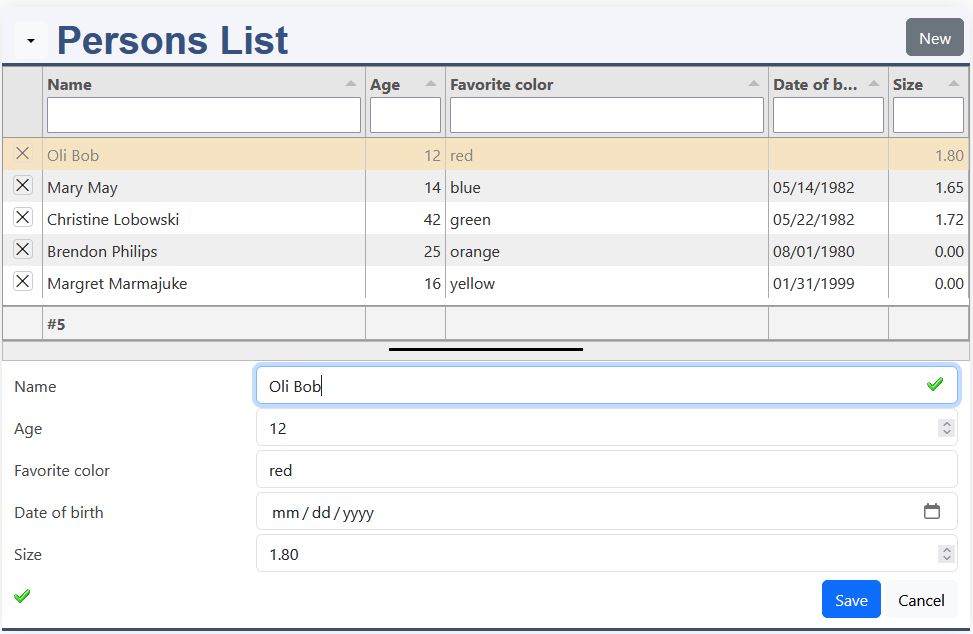
Masterdata provides a complete interface for managing database records. A data list and an edit form are combined in one element, allowing users to search for records, view their contents and create, change or delete data without switching between different screens. The element is generated from the K8 datadefinition, so the database structure and the user interface remain closely connected. This makes Masterdata a practical way to create complete data management applications with little repetitive development work:
- List and form combined in one element
- Filtering, sorting and column configuration
- Create, read, update and delete functions
- Access rights integrated into the data management
For more details, please have a look to:
List
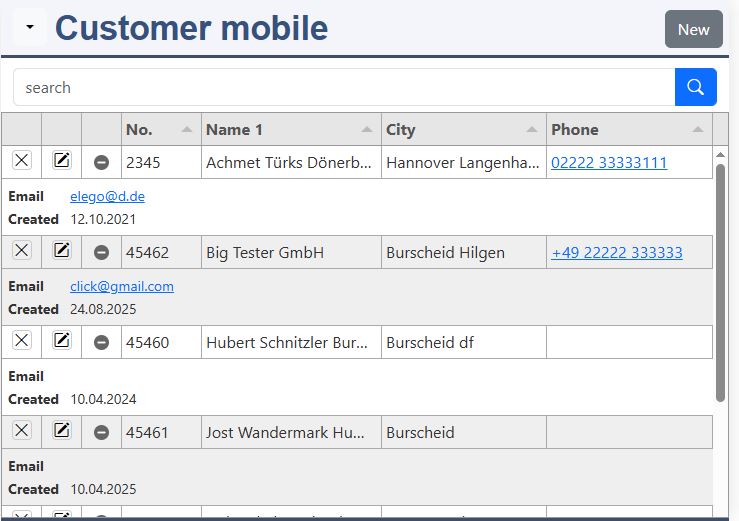
List displays database records in a fast and flexible table view. It is based on the Tabulator library and provides the typical functions required for working with larger amounts of data, such as sorting, filtering and configurable columns. A K8 datadefinition supplies the data and configuration, while the list itself can be extended with formatting, buttons and application-specific JavaScript. The same database definition can therefore be used to create a simple overview as well as a more specialized operational screen:
- Tabulator-based data grid
- Sorting and filtering
- Configurable columns and formatting
- Can be extended with custom actions and JavaScript
For more details, please have a look to:
Treeview
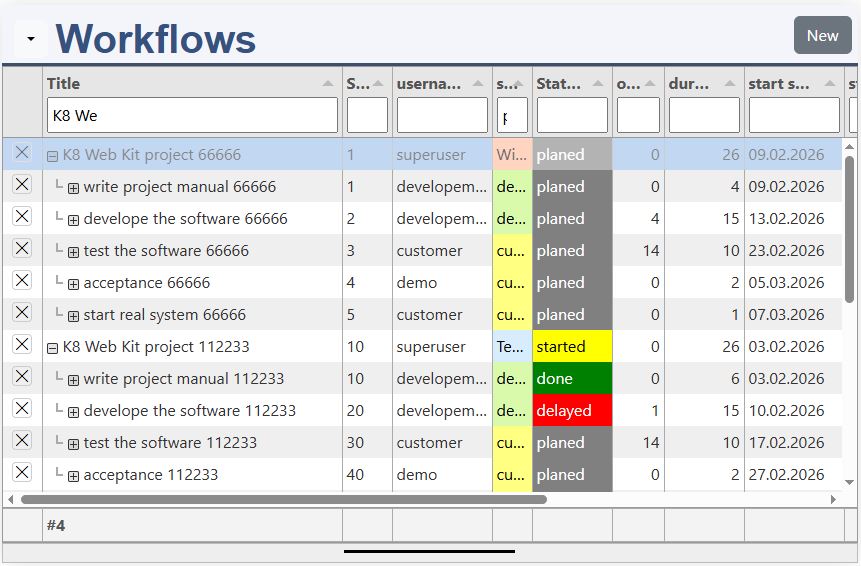
Treeview presents records in a hierarchical structure. Child records are linked to their parent through a parentID and the data is read recursively. Users can expand and collapse branches, create new child elements and maintain the hierarchy directly in the interface. This is useful for menu structures, organizational structures, workflows, categories and other data where parent-child relationships are an essential part of the application:
- Recursive parent-child structure
- Expand and collapse tree branches
- Create new sub-elements directly
- Sorting and editing of hierarchical data
For more details, please have a look to:
Listedit
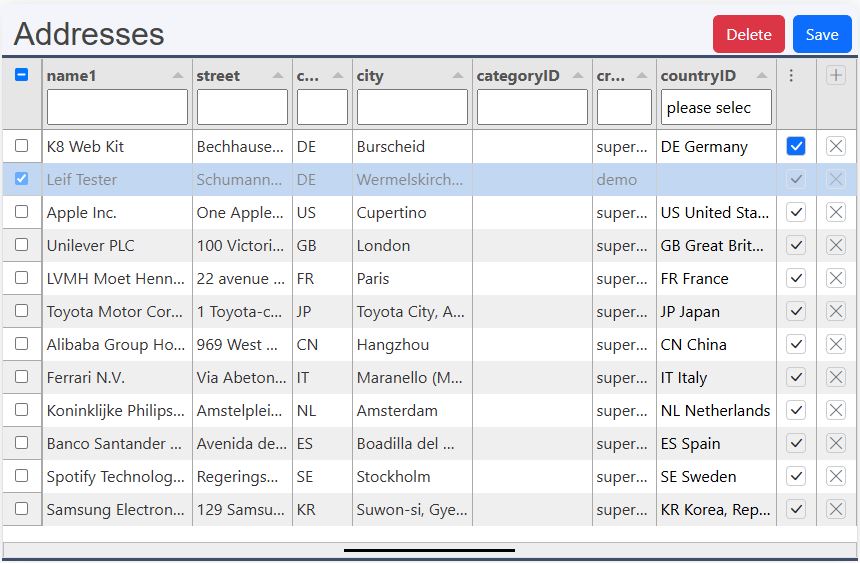
Listedit allows users to edit database values directly in the displayed rows. Records can be added and deleted, while selected rows can be saved or removed. The element is based on Tabulator and supports keyboard navigation as well as copy and paste, making it particularly useful for fast data entry and data correction. Ajax support can be used to save changes directly on the server, or the application can handle the saving itself:
- Direct editing inside the table
- Add and delete rows
- Keyboard navigation and editing
- Copy and paste for efficient data entry
For more details, please have a look to:
Form
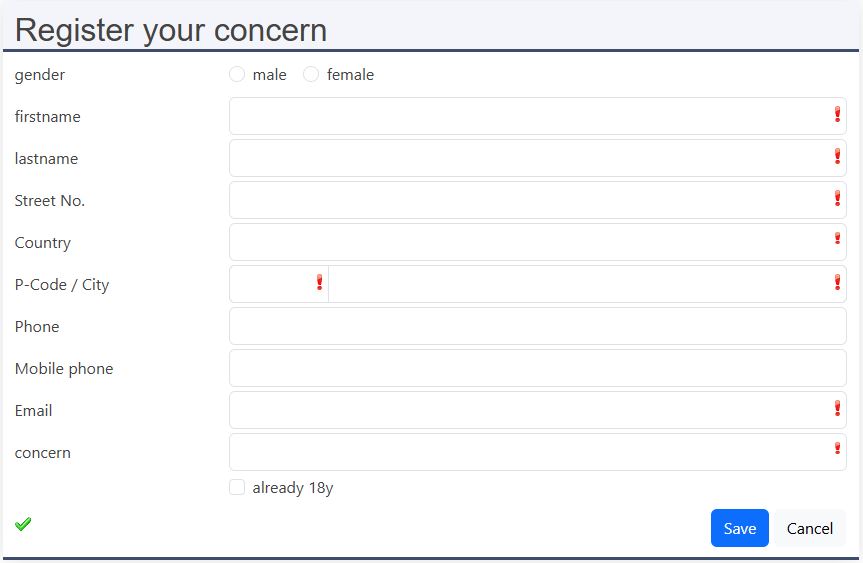
Form generates a Bootstrap-based web form from a database table and its K8 datadefinition. The generated structure can then be configured with JSON to control the layout and the individual fields. K8 forms support different input types, input groups, selections, radio buttons, checkboxes and extensions such as TinyMCE. This makes it possible to create customized data entry interfaces while keeping the connection to the underlying database straightforward:
- Form generated from a database table
- Flexible JSON-based configuration
- Bootstrap-based responsive layout
- Supports extended field types and controls
For more details, please have a look to:
Simpledata
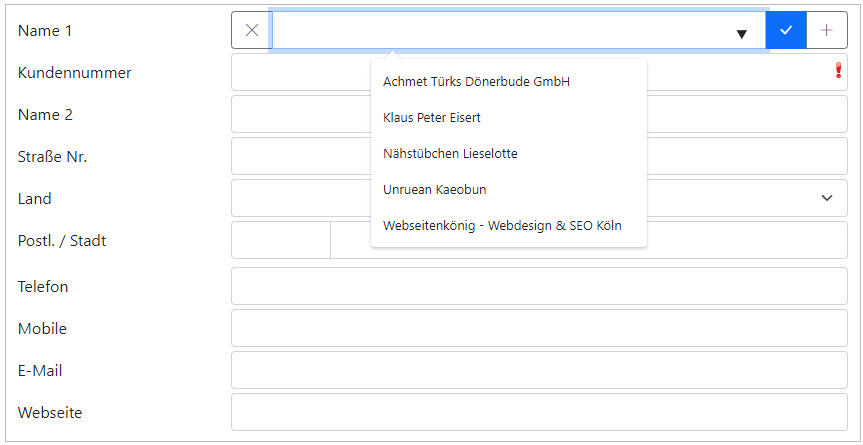
Simpledata provides a compact interface for finding and editing individual records. Instead of displaying a complete master data list, the user can search for a record and then work with the associated form. This makes the element suitable for applications where the main task is to locate one particular customer, supplier, employee or other record and maintain its information. It uses the same K8 datadefinition concept as the other data elements:
- Search and edit in one compact interface
- Designed for individual record maintenance
- Based on the K8 datadefinition
For more details, please have a look to:
Catalog
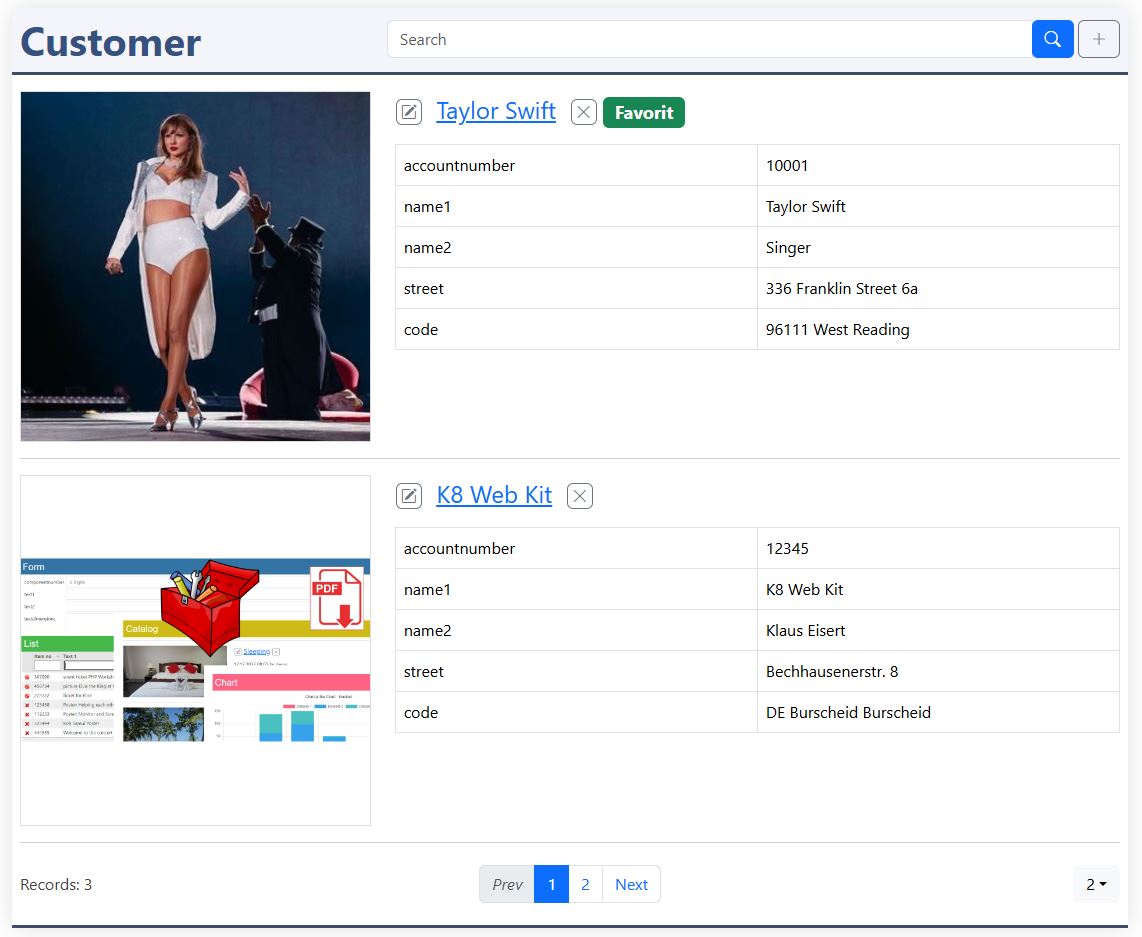
Catalog displays database records as visual entries instead of conventional table rows. The appearance is defined through HTML templates, so images, headings, text, links and controls can be arranged freely. Search, pagination and record actions can be included in the catalog, while an inline form can be used to edit records and a detail page can display the complete record. This makes Catalog particularly suitable for products, services, customers, articles and other data that benefits from a visual presentation:
- Custom HTML templates
- Visual presentation with images and text
- Search, pagination and record actions
- Optional integrated form and detail page
For more details, please have a look to:
Detail
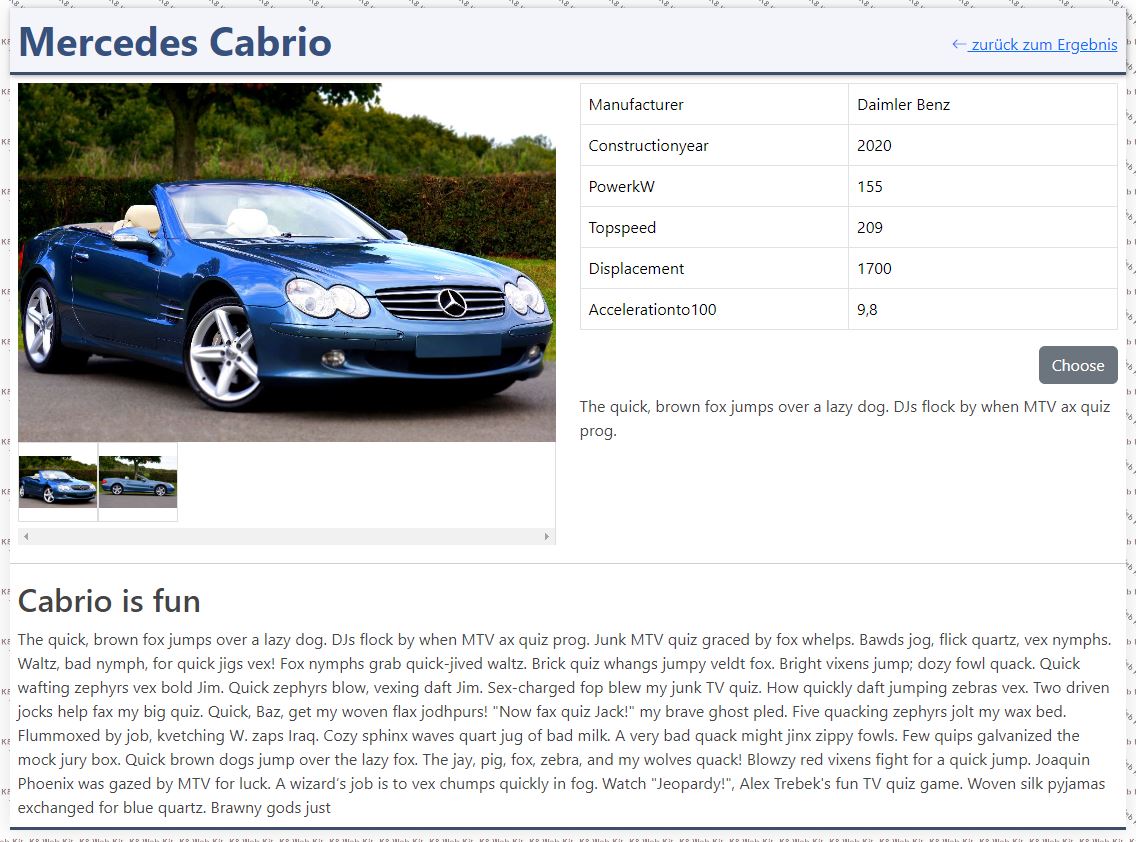
Detail displays a single database record as a dedicated web page. Instead of showing the record as one row in a table or catalog, the information can be arranged in a customized HTML layout. Images, text, links and additional content can be combined to create a complete detail view. Detail works particularly well together with Catalog and List, where a selected record can be opened in a dedicated page:
- Dedicated page for a single record
- Custom HTML presentation
- Supports images and additional content
- Works well together with Catalog and List
For more details, please have a look to:
Lineedit
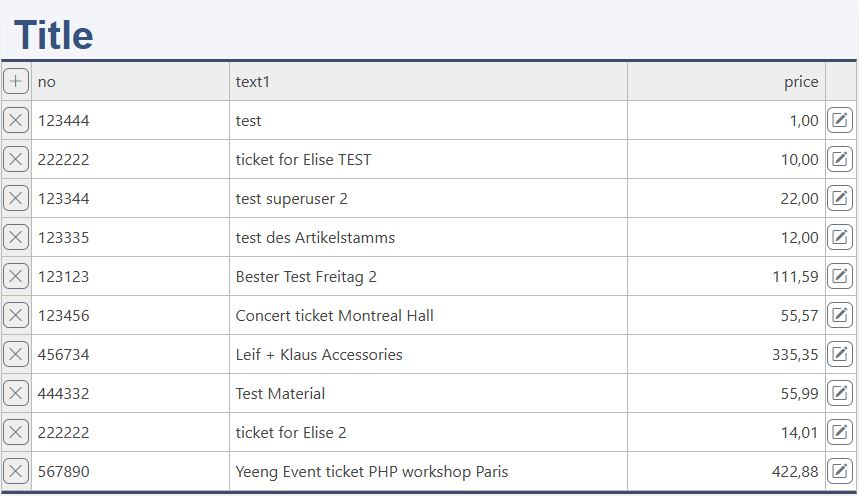
Lineedit is intended for editing records directly within a compact list presentation. Instead of opening a separate form, values can be changed where they are displayed. This provides a fast workflow for applications where users have to maintain several related records without leaving the current context. The element combines a flexible presentation with direct data editing and is therefore well suited for operational data maintenance:
- Direct editing of displayed records
- Compact data maintenance
- Flexible presentation
For more details, please have a look to:
Single Values
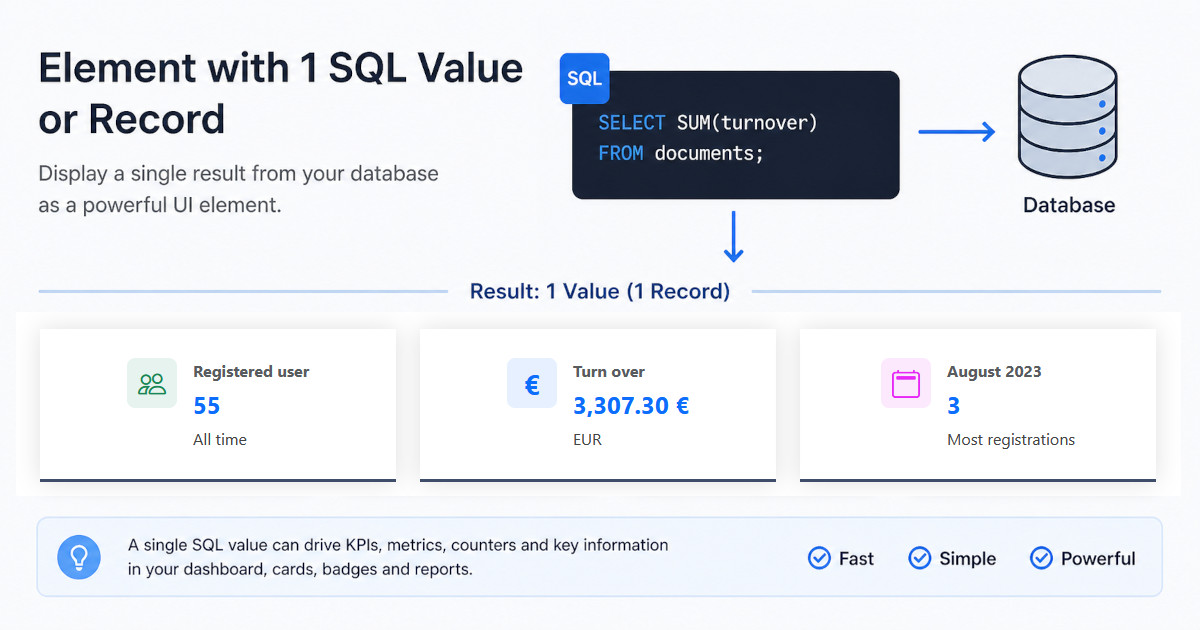
A SQL statement can return a single value or only 1 record. Such an element also needs:
- datadefintion
- sql statement
- rights and roles for reading
- HTML output
This element is based on a detail element and it is requested without a key:
ChartJS
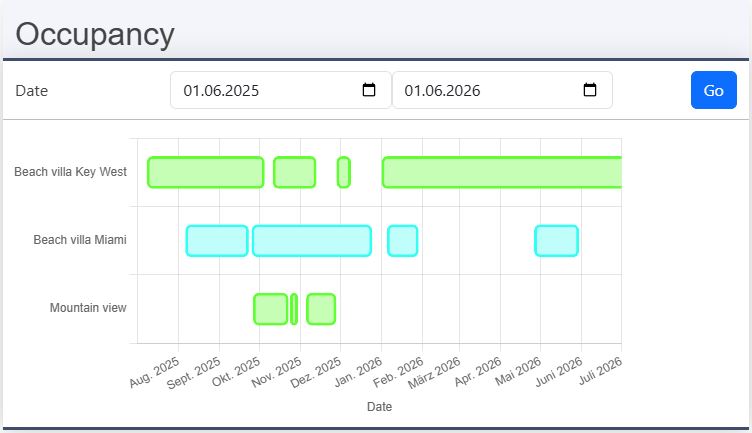
ChartJS converts database data into interactive charts using the Chart.js library. K8 Web Kit can provide the chart data directly from a datadefinition, including data generated by SQL aggregation. The result can be displayed as bar, line, pie or doughnut charts and can be further processed with JavaScript callbacks. This makes it possible to turn business data into dashboards and visual reports without having to build a separate data-access layer for every chart:
- Database data directly as chart input
- Bar, line, pie and doughnut charts
- SQL aggregation for business data
- JavaScript callbacks for flexible data processing
For more details, please have a look to: