 " id="k8-modal-content" alt="modal">
Create your table online.
Generate basic data structures for storing and displaying your data, the data definition!
Choose and optiomize your elements.
Define your groups.
Build your menu.
Cloud service
Use our cloud service:
- 2 weeks free trial
- use a voucher for 3 month
- rent our cloud hosting
Register and login and create your own K8 Web Kit instance:
Data definition
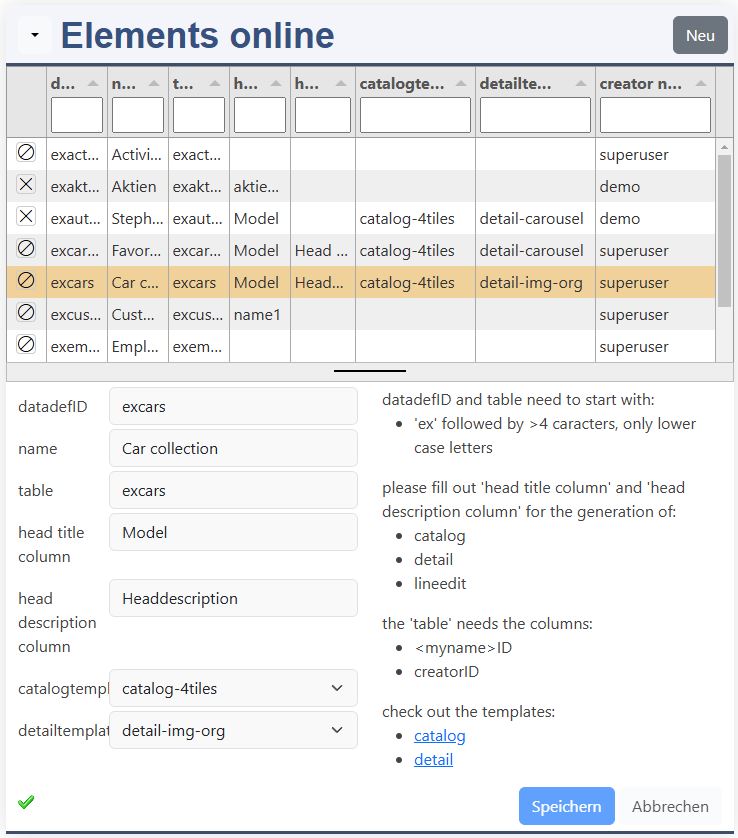
Call the elements online form to create a new data definition:
k8webkit.com/e/masterdata/k8datadefinitions
datadefID
The datadefID is the identification for your element in the "url".
name
The name is displayed as header in your elements.
table
The database table contains your columns.
head title column
This is the column which specifies your record.
head description column
This is the column whith the discription of the record.
catalog template
Please choose a template for the catalog.
detail template
Please choose a template for the detail page.
Table definition
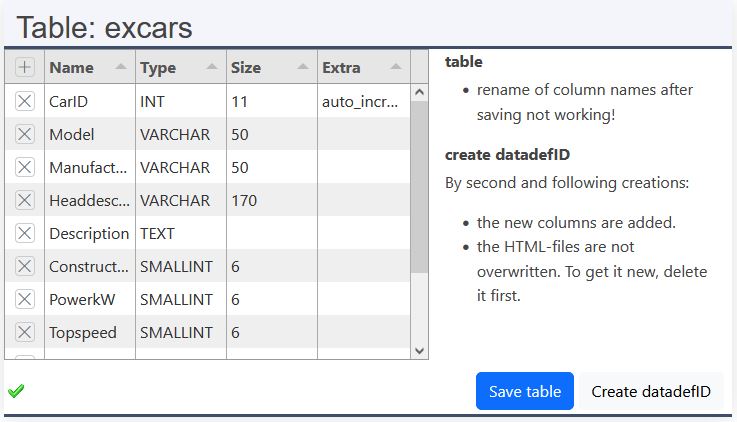
The table is created in the database. Please define your table structure here.
Name
The name of your column is also displayed as label in your elements.
Type
The data type defines the data you can store in the column: data-types.
Size
Some fields have a fixed size, others like varchar allows you to specify the size.
Extra
Here you can define the index column of your table.
Save
Please save your table here.
Create datadefID
The data definition and additional files are created out of your table structure.
Files online
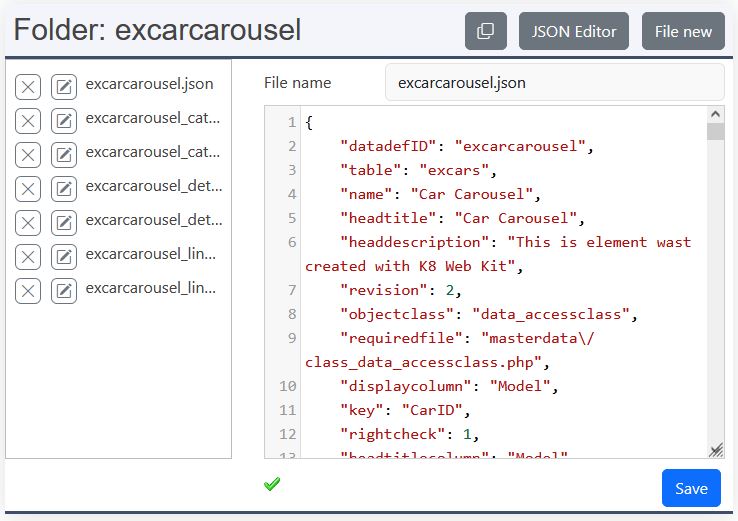
If you create a JavaScript file, please, add it in the data definition:
Assistants
Assistant form
The assistant helps you to configure form and tabulator list. Attention, if you use the assistant (yellow dot), please make always the changes for the columns with the assistant. The assistant overwrites the *.json file.
Assistant Chartjs
Opens the Chartjs Assistant.
Assistant SQL
Opens the SQL Assistant.
Assistant Bulk
Allows to execute bulk operations, also with formulas
All the files are saved into the folder "myproject/<datadefID>". If you address the files, please, use the path:
- {{root}}myproject/<datadefID>/<filename>
This delete the file.
Here you have an easy editor to change the content of the files. A syntax check is not performed.
Copy
Copies the file to the clipboard.
JS Editor
Here you open the JavaScript Editor. It provides powerful features such as syntax highlighting, IntelliSense, autocomplete and real-time error detection. JavaScript code is intelligently supported with context-aware suggestions and code completion. Functions, variables and objects can be easily navigated and explored directly within the editor. Built-in formatting, code folding and multi-cursor editing make working with complex code much easier. Developers can use familiar VS Code-style shortcuts for an efficient and professional coding experience.
Json editor
Jsonlint is called. With Jsonlint you can do a formatting and validation of Json files. For other files choose another editor, if necessary.
New file
- Enter your filename with extension
- Type your content
- Save it.
The preview
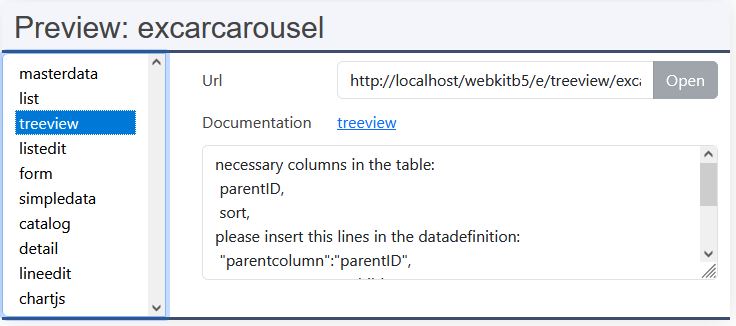
On Android devices click please in the empty list to choose an element.
After selecting the element, following informations are displayed:
- Url: link to the element
- Documentation: link to the documentation
- if applicable, hint to the element
Open
Open is enabled, if your data definition allows to call the element, otherwise follow the hints.
The database connector
excerp of config/_init.php, myproject/_init.json
The connector is defined in the backend to protect the authentication.
table structure
- key
- with ID (noupdate, noinsert)
- without ID
- with ID
- without ID
- defaultrights: false
Public groups
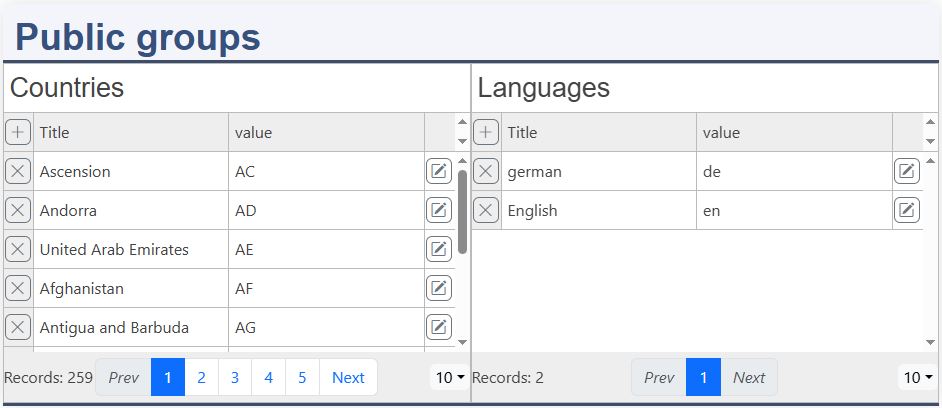
datadefintion: k8pubs
Public groups:
- countries
- languages
Everybody can read this groups.
Group definition
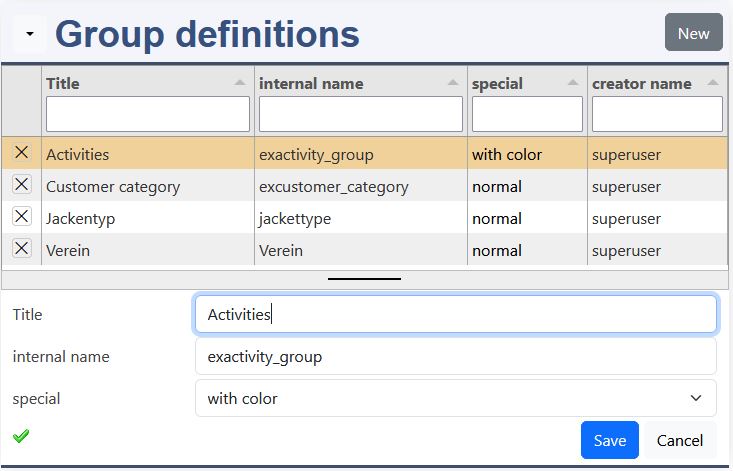
datadefintion: k8groupdefinitions
Please define your groups:
Fill out the usergroups:
How to implement the groups:
Groups can be used with this properties:
- normal
- with color
- with value
- with color + value
Groups
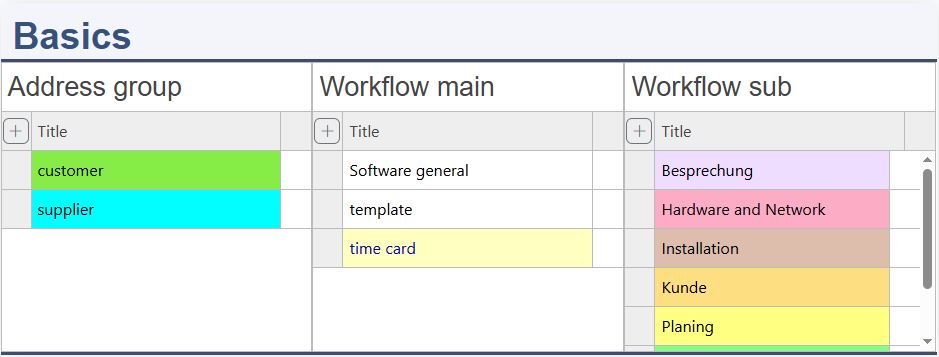
datadefintion: k8groups
Groups, page:
- lineedit
- usergroups
- groupdefinitions
- else:
- domain_groups, ->basicgroups_array
User Menu
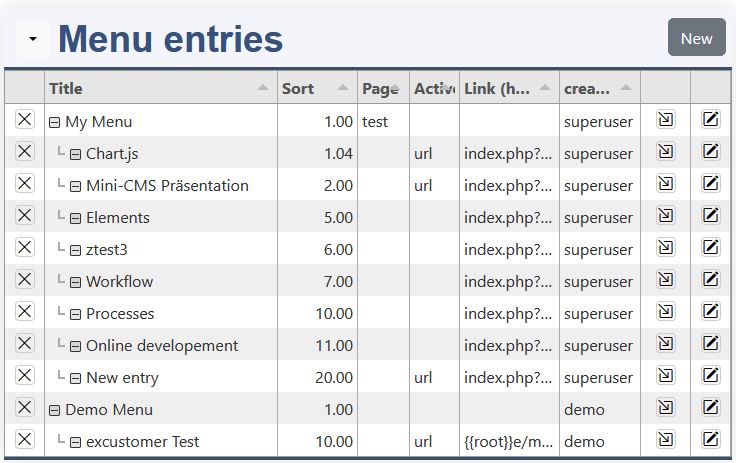
The menu is displayed directly beside the domain name: "K8 Web Kit". Here at the platform, it's visible for the logged in user only
- Please create it:
- Documentation:
Online editor
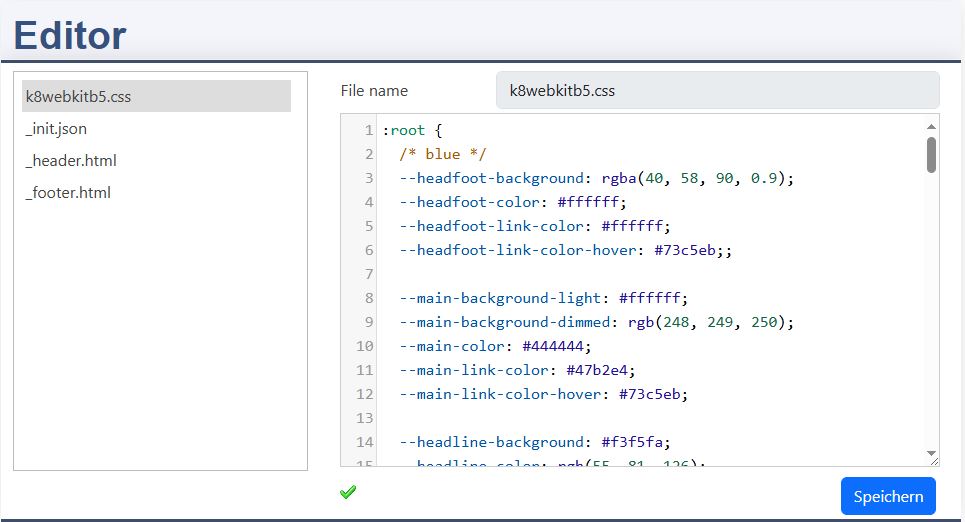
Please adapt the layout by editing the files:
_init.json
- Languages: en,de (will be extended soon)
k8webkitb5.css
- CSS
header.html
- Headline with Menu
footer.html
- Footer with links
By saving a ".js" or ".css" file a reload of the whole cache is forced.
Create "head.html"
With the head.html you can change and add resources, such as JavaScript and CSS.
File new
A new file can be created. Please note that ".css" and ".js" files must be linked in the "head.html".
Email configuration
_init.json (example for email configuration):
Please exchange the example entries with the data of your email provider.
More information:
This are the basic emails (default definition):
- activate
- resetPwd
For each email you can define your:
- subject
- content
The placeholders are:
- {{activation_link}}
- {{domain_name}}
- {{password}}
- {{content}}
The template allows to define a standard email template, which can be used for further emails.
CSS
Please edit the CSS variables to change the colors. Choose your color with:
Pages
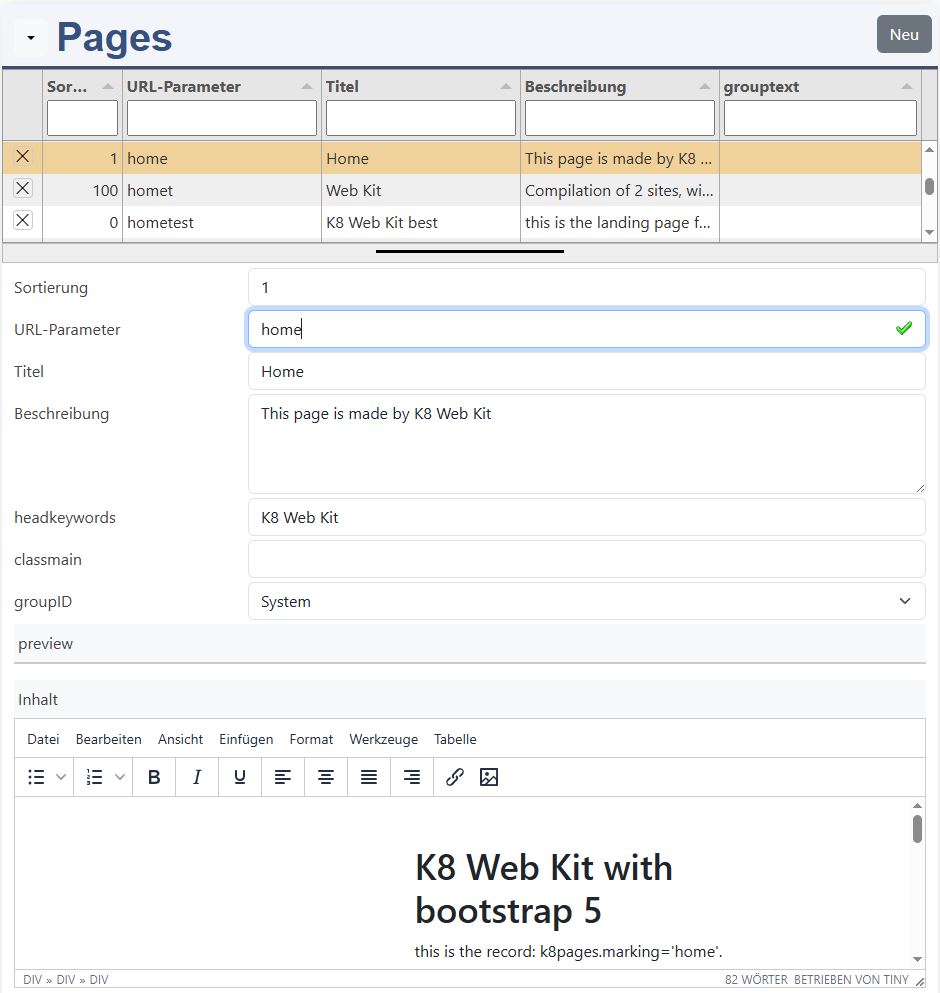
This pages should be adapted:
- Home
- Membership
- Imprint
- Privacy policy
- Terms of use
- Service 1
- Service 2
More about the pages: