 " id="k8-modal-content" alt="modal">

Easy partner portal
When collaborating with partners on the web, data security is of paramount importance. Unauthorized access to the data must be prevented. Registration and the granting of rights must also be secure.
During registration, an automatic assignment to the partner occurs via the domain email address. For example, all users with "@nvidia.com" are assigned to the partner "Nvidia."
Partners are essentially only permitted to access your data. This data is identified with a special partner ID. Partners are assigned this ID during registration. In this example, the partner ID is the column: addressID.
Tables and data objects
Addresses
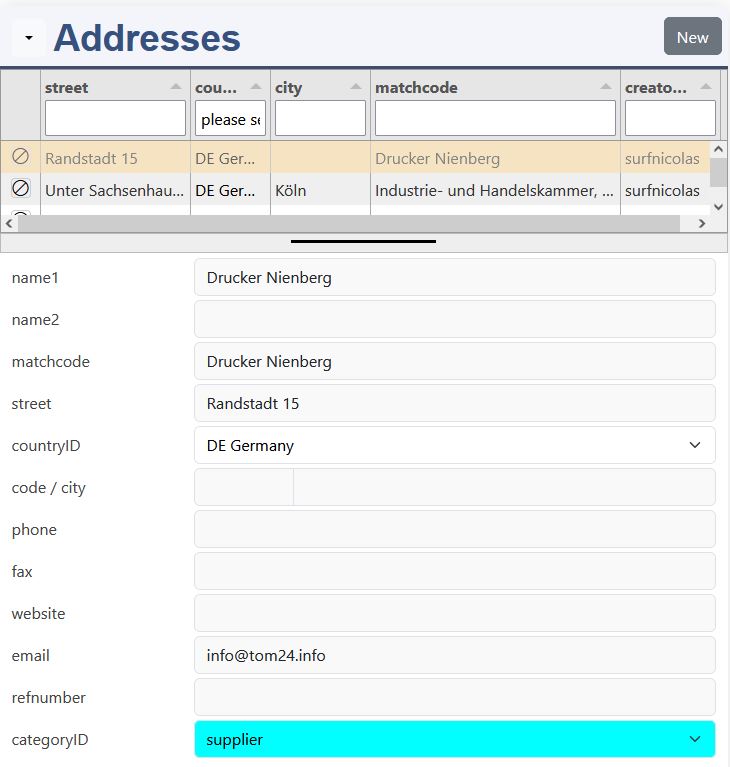
In the table k8addresses (datadefID: addresses) the address of the portal owner and the addresses of the partners are stored. The primary key is:
- addressID
All tables with this ID get special permissions for partners !!!. The partners has first to be entered by the portal owner.
The email has to be a domain email. All registrations with this domain email are automatically assigned to this address.
Portal address
In the config/_ini.php the domain email of this portal is stored:
- $GLOBALS['domain_emailto']="info@<domain email>"
Partner addresses
By the registratrion a domain email allows to assign automatically the users to the right organization.
Registrations without match
Registratrions without match need to be assigned manually.
Employees
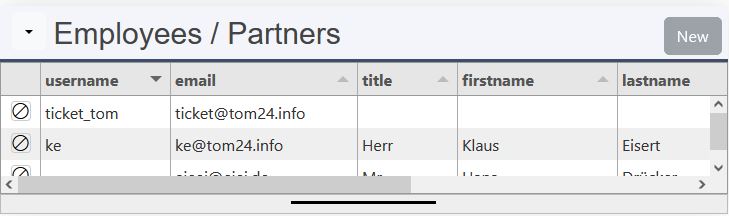
username
The employee are part of the address. They can be inserted manually or automatically by regisration. The username corresponds to the login name of the user from the user table:
- k8addressemployees, datadefID: addressemployees
Technical details:
- column userID is added
- it's joined to k8login
- column username is added by sql_additionals, new records are inserted with datadefinition: k8searchuser
The roles are managed by the portal administrator.
Motion Data: reclamations
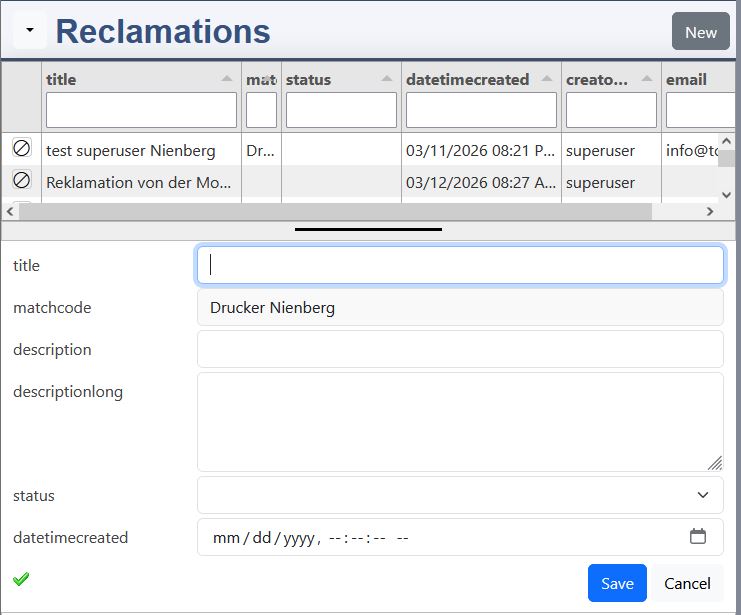
The reclamation is assigned to the partner by the column:
- addressID
Special feature of the column partner matchcode:
- partner is logged in:
- the column is disabled and the partner matchcode is displayed
- portal employee is logged in:
- the column is used to search the partner and displays him. The corresponding addressID is set too.
Database
If a partner is logged in, the column addressID is taken from the internal session variable. The sending of this column from the frontend is ignored.
Reclamation desicions
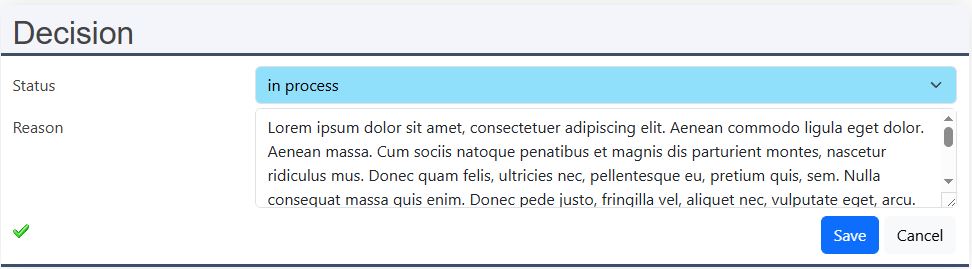
The decisions are made by the portal employees. For the role "3" the rights are granted.
Other tables
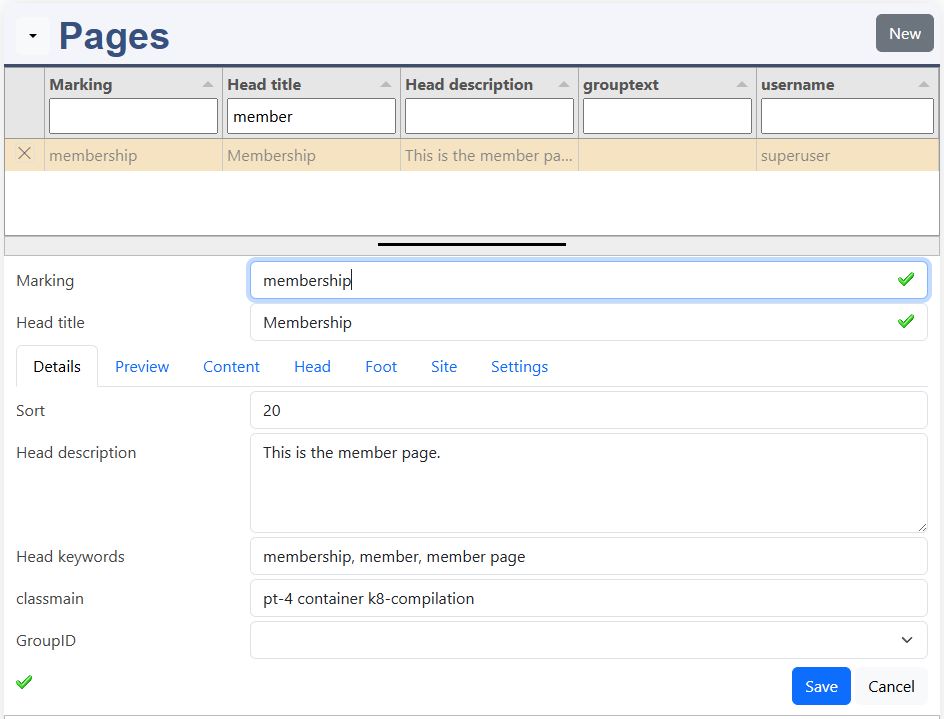
This tables are public and can be seen by every body. A special needs to be defined for this tables, role: 49 (look to roles beneath).
Public tables are:
- menu entries
- pages for sites like: terms of use
- group definitions
Read and manage login data:
- k8login
More
Menu
Menu Admin Menu
the page reclamations is added.
Membership page
Menu Admin Pages
page membership, Site: drag & drop membership to the layout
User registration
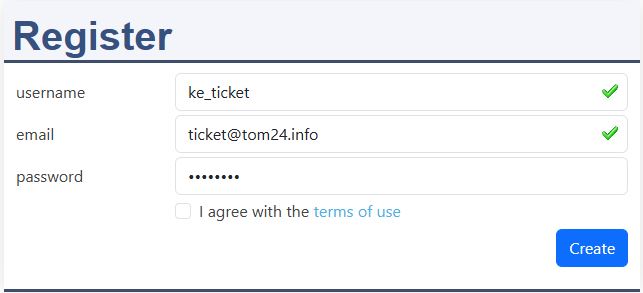
The PHP progam code is executed to check and set account data:
- myproject/partner_registration.php
Depending on domain user_active the code is executed after registration or after email verification. It does:
- checks, if portal or partner employee
- set the roles in the account data
Please, set domain_useractive=1 in the _init.php. This will force an email verification.
First fill out the registration and submit it.
Depending on domain_useractive the file: partner_register.php is called after registration or after email verification. Assignement and roles are handled by this file.
Domain email
The assignement to a portal employee or to a partner is made by the domain email.
The roles are written into the login table corresponding to the assignement.
Without assignement, roles and assignement has to be done manually by the administrator.
Login / logout
Login
After a succesful login, the File: partner_login.php is exectued. It checks ($GLOBALS['domain_emailto']), if the user is assigned:
- 0: none
- 1: portal
- 2: partner
The result is written in the variable dat_user, property:
- assignement
SESSION['autofill']
The property addressID is added to SESSION['autofill']. This ignores "addressID" from the frontend and always writes this addressID from the login into the tables:
- $_SESSION['autofill']['addressID']=<addressID>
The autofill is only set for partners.
Logout
The userspecific properties in the SESSION array are deleted.
Rights
Roles own employees
The main role for employees of the portal owner:
- 3: member
Role 3 is the main member role, which allows the data maintenance. More roles can be assigned, but this is not the subject of this partner portal.
Roles for partners
This are the roles for partners:
- 49 read significant membership tables
- 51 create: allowed
- 52 read: partner
- 53 update: partner, own
- 54 delete: partner, own
- 55 update: partner, independend of creator ID
- 56 delete: partner, independend of creator ID
This are the special roles, which are granting the permissions for partner tables.
If partner employees has left your partner, the account can be disabled in the user list by the admin.
Methods for data access
The methods for the data access are:
- 22 addressID (update allows to change creatorID, but not addressID)
- 23 addressID and creatorID (update nor allows to change creatorID or addressID)
- table and object default rights:
- k8pages
Protected field: addressID
Permissions
Default rights of tables with addressID:
This permission allows portal employees to access their own data (creatorID), and partners to access partner data (addressID). Naturally, the administrator has access rights to all data.
Admin, assignement list, k8login with k8addressemployees
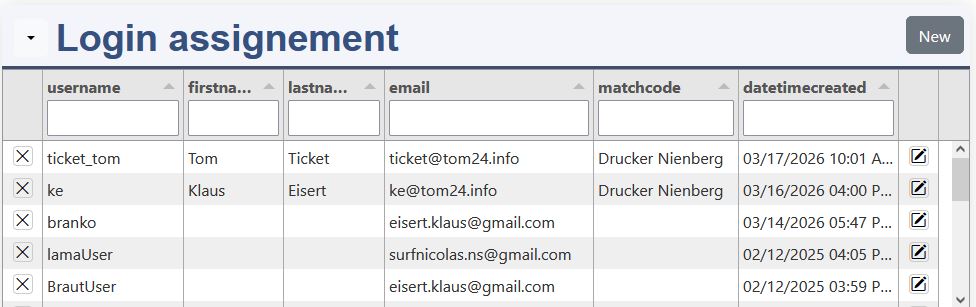
Here are all users listed by creation date descending.
The roles for new users can be adapted by edit.
The assignement has to be done in addresses.
This is the datadefinition with the datadefID: k8loginassign
Admin, user list
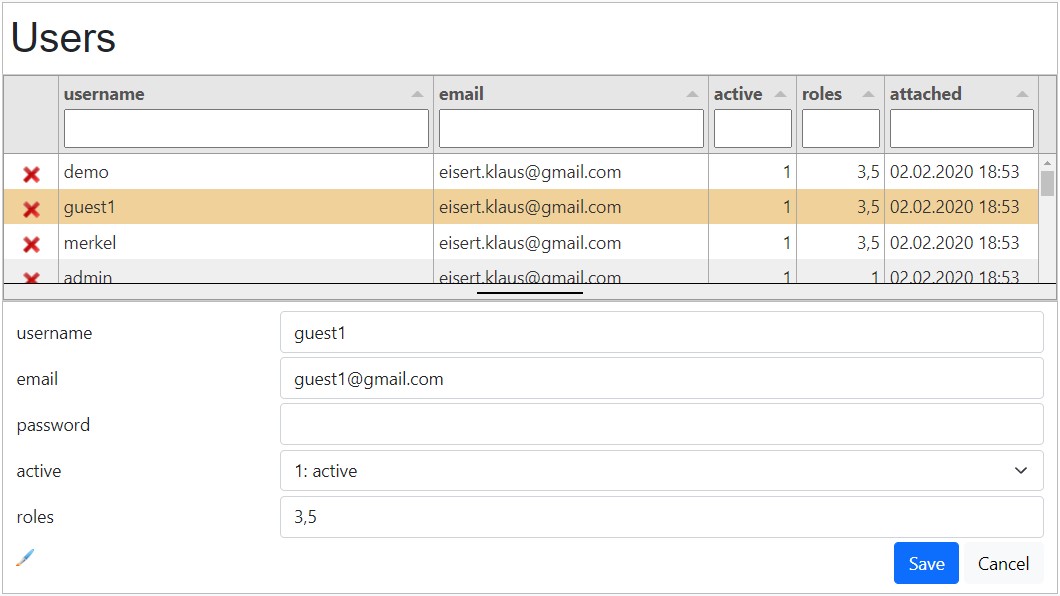
Resources:
- page=user_list (example.js)
- datadefID=k8login
As admin you have the following functions:
- edit user
- delete user
Configurations
Normally the default roles are set by in k8login.columns. In this example the roles are set in partner_registration.php
More hints
Reclamation
datadefinition: reclamations:
sourceelement:
- 0: reclamations
- 1: reclamationdecisions
The sourceelement[0] is the JavaScript variable for the reclamation element.
site:
- With the site declaration all necessary resources of the datadefinition reclamationdecisions are loaded.