 " id="k8-modal-content" alt="modal">

Company parts:
- Register
- Company
- Employee
- Member
- My company
- welcome after login
- Admin
- Companies
Includes
- register
- delete
- login
- logout
Structure
Database
All companies are stored in the same database.
Tables
Each table with company data need to have the column:
- companyID
All unique indexes need to contain the companyID.
Session
The companyID is stored int the Session by logging in, SESSION[]:
- companyID
Portal admin
The portal admin is:
- superuser
The superuser is not assigned to a company.
Portal emails
Portal emails are send by the portal:
- Account verification
- Reset password
Menu
The menu is same for all companies. It is configured by the portal admin.
Config
config/_init.php
domain_rightmode
- domain_rightmode=3
This implements the "companyID" to the data access.
domain_includes
When registering a new company this file is executed:
- company_register.php
Depending on "useractive" it is executed by this events:
- registercompany
- verificationcompany
rolecompanydefault
By registering the company the user is inserted as company employee with this default roles (look to roles).
rolecompanyadmin
A user with the role company admin is allowed to configure the user roles.
rolescompany
The company admin is not allowed to controle all roles. He is limited to this defined roles.
By compnay delete
When deleting motion data or master data the affected records in tables or datadefs are configured here:
- motion data
- master data
Difference between datadefID and tables:
- tables: only the records in the table are deleted
- datadefID: the delete function of the data definition is executed. Depencies, like file delitions are also executed.
To execute programm code the domain includes can be used:
- delete: company_delete.php
Company registration
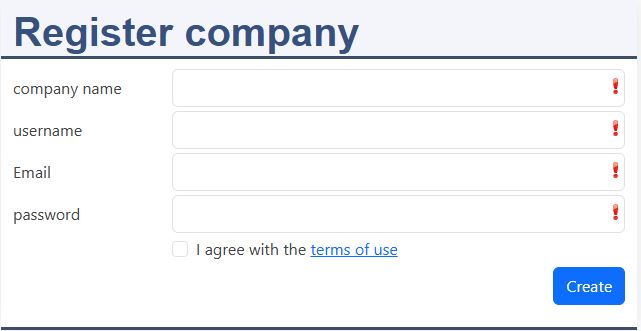
datadefID: k8logincompany
Fields:
- company name: the name of the company
- username: this user is the admin of your company
- email: for the moment no verification necessary!
- password: don't forget it!
The roles of the user are set to:
- rolecompanydefault
The domain include file for company register is called. So necessary tables can be filled.
Employee registration
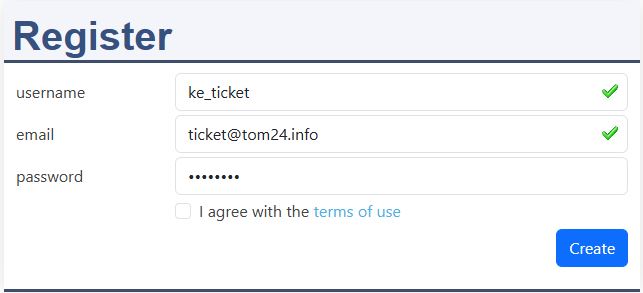
With invititation
An invitation is send by the employee dialogue. The invitation link calls the registration and The link fills the email and the hidden field companyID. Thanks to the invitation the username is automatically add to the company employee.
Without invititation
First the registration is done. The employee has to inform the admin outside this system and give him the username. The admin adds the username in the employee list.
login / logout
domain_includes:
- login: company_login.php
- logout: company_logout.php
Company assignement is being verified. The Session variable "companyID" is set.
After the login the include file is called.
My company
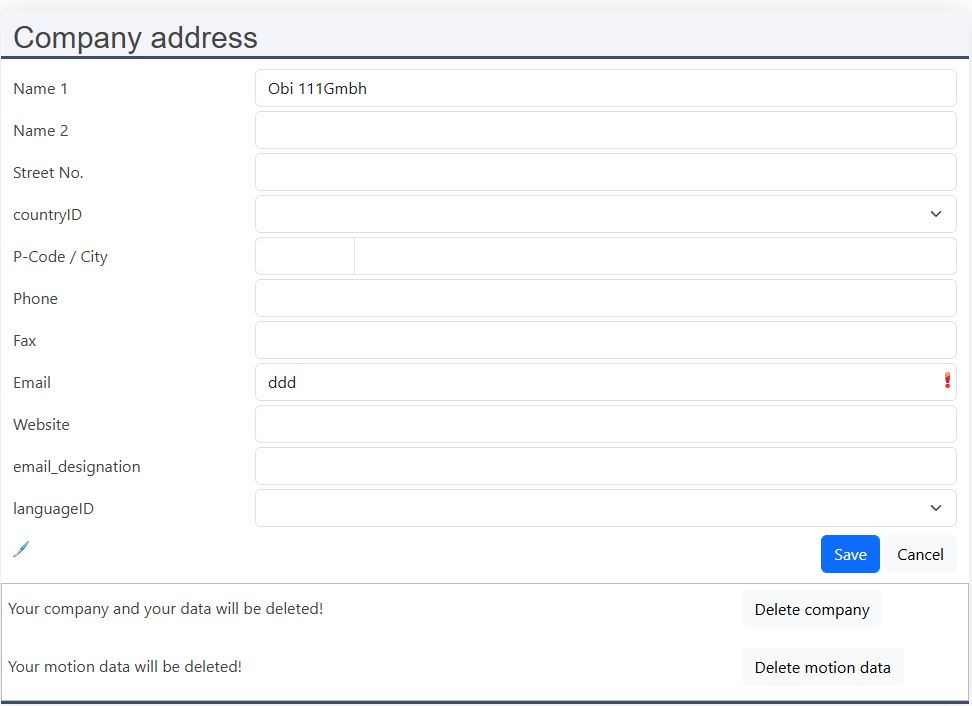
Functions:
- Email assignement
- Delete company
- Delete motion data
- Update session
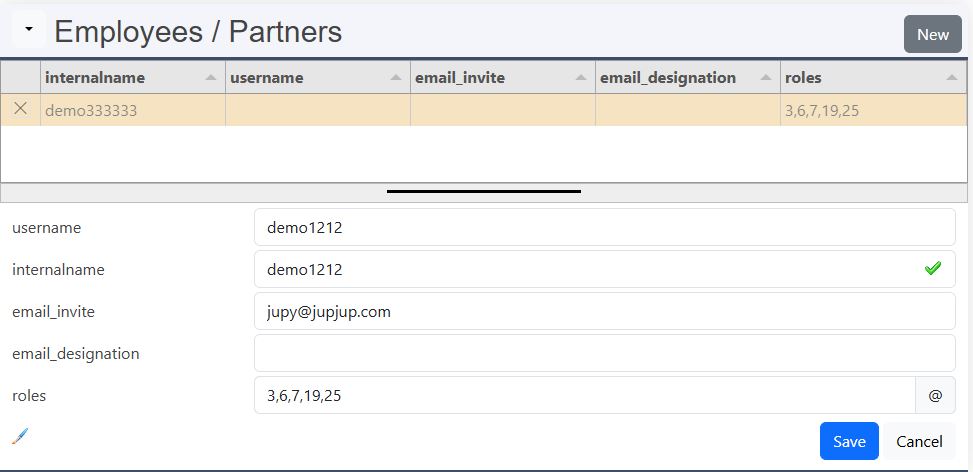
New
Only company admins are allowed to manage employees.
User name
This is the name the use is logged in with. Unassigned user can be added here.
Internal name
This is the name of the user, which is used in the company.
Email invitation
This functionality is added later.
Email designation
This functionality is added later.
Roles
Only users with this company role are allowed to set roles, which are in the array:
- rolescompany
▼ Send invitation
Requirements:
- Employee form: email invite
Here you can create a new employee profile with their name, email address, and access rights. Send him an invitation using the "send invitation" menu. If he accept the invitation, their username will be added here. He can then immediately start collaborating on the platform.
Email template (optional)
- user_invitation:
- contain placeholder: {{link}}
Company email (optional)
- Company Emails: add your email configuration
- My company, email designation: add the email configuration
masterdata/k8companyemployee/k8companyemployee.json:
In the datadefinition: k8companyemployee the default values for the roles are set.
Admin, company list
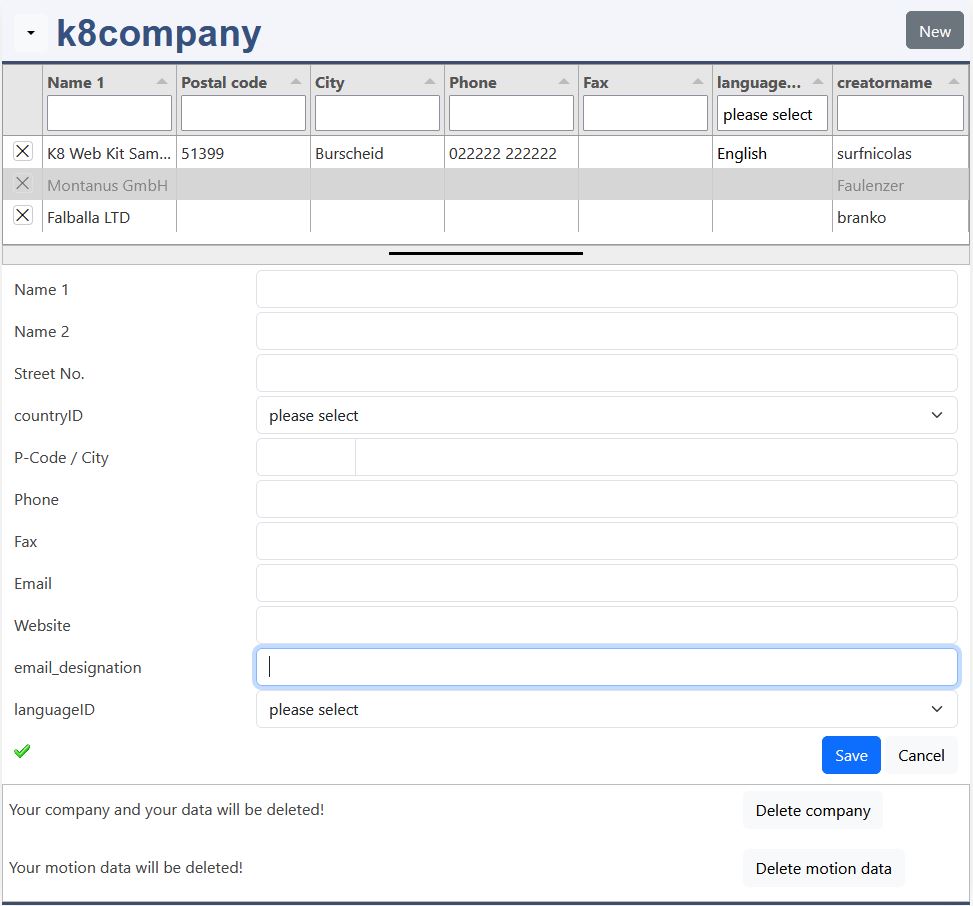
Company
The main company fields allow to note address and contact data.
Employees
For test and support the admin can act as an employee:
- take identity
- identity + admin
By a new login the original admin rights are set again.
Roles
domain_roles:
Roles:
- 6: employee
- 7: admin
- 19: login
- 21: read
- 25: create standard
- 30: create right groups
- 32: write email
Data access methods, rules
The methods are placed int this functions:
- bRecordReadPermission() (include: RBAC_Read)
- bRecordUDPermission() (include: RBAC_RUD)
- bRecordAccess() (include: RBAC_CUD)
Methods:
- 4: exist companyID
- 5: exist companyID and creatorID
Default rights for company tables
domain_defautltrights:
The default rights for a table are defined in:
- config/_ini.php
- <myproject>/_ini.json
Company events, domain_includes
config/_init.php, domain_includes:
This are the supported events:
- head
- Register
- company
- user
- Verification eamil
- company
- user
- Login
- Logout
- Delete
- company
- motion data
- RBAC
- Read
- RUD
- CUD
Register company (create)
company_register.php
datadefinition: k8company
events:
- registercompany
- verificationcompany
Delete company
excerp: config/_init.php
datadefinition: k8company
File, k8companyMethod.php:
- process_action=
- deleteCompany
- mode=
- 0: company
- 1: motion data
Tables
To clean company tables, add them in:
- $tables_motiondata
- $datadefIDs_motiondata
- $tables_masterdata
- $datadefIDs_masterdata
k8login
Logins are deleted, if they are not member of another company!
company_delete.php
Use this include to write your own programm code for the company deletion.
Variables
_head_js.php
This variables can be used in JavaScript.
userID
This is the ID of the logged in user.
dat_user
This is the record of the user table "k8login".
companyID
This is the ID of the logged in company.
dat_company
This is the record of the user table "k8company".
GLOBALS_sessionroles
The GLOBALS_sessionroles contain the roles of the logged in user.
Solution Import
config/_init.php
Sorry a solution import is not configured for a Saas project!